Depth Anything V2
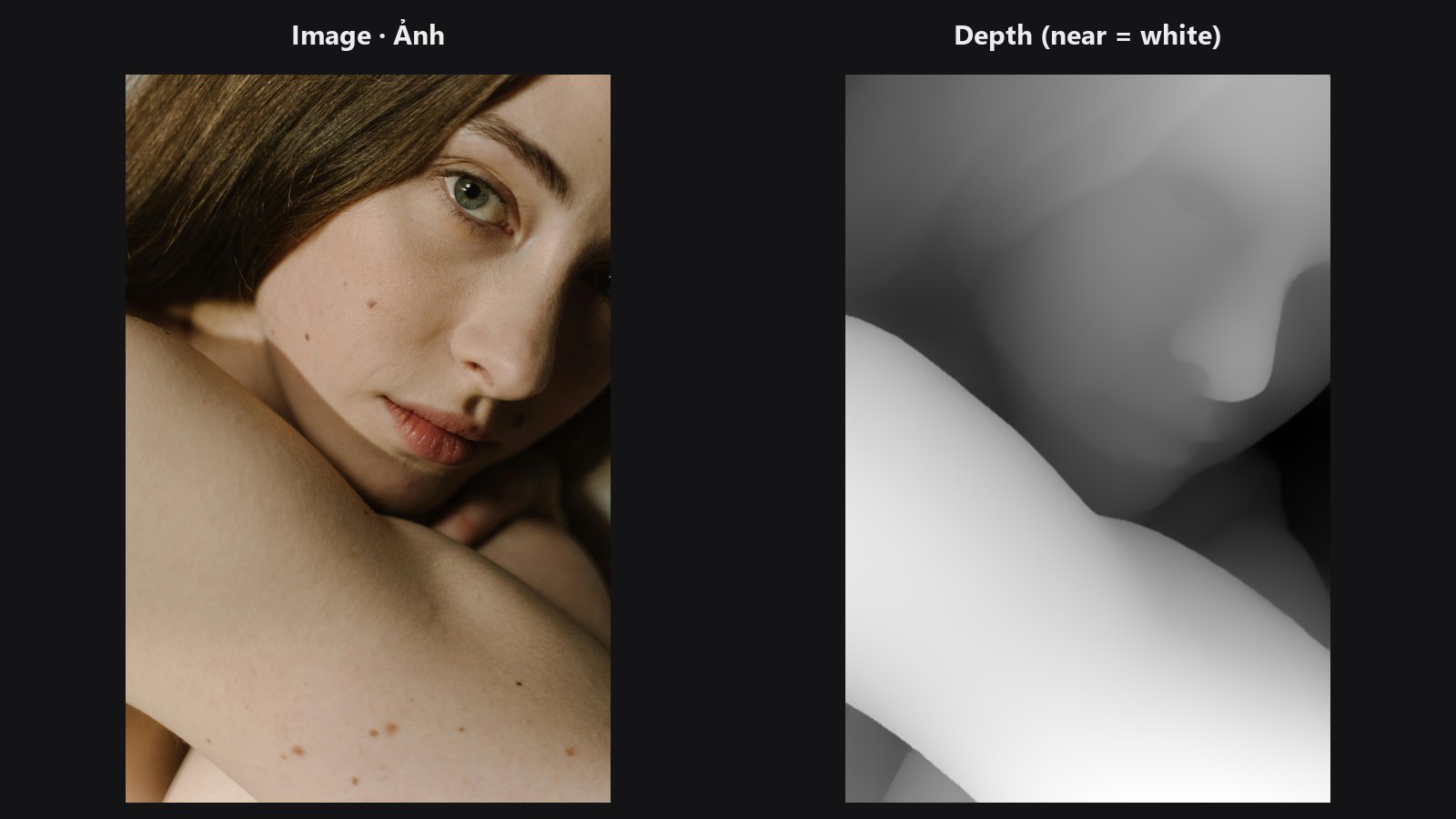
Turns a flat photo into a depth map: white is near the camera, black is far away. Use it to drive lens blur, fog, relighting or depth-based masks.
| In ComfyUI | Add Node → ComfyUI-JH-PixelPro → depth → Depth: Depth Anything V2 |
| Good for | Fake depth of field, separating foreground from background, depth masks for colour grading |
When to use it
A depth map is a greyscale picture where brightness means distance. Depth Anything V2 guesses it from one photo, with no stereo pair or sensor. The result is relative: it tells you what is nearer than what, not how many metres away it is. Values are normalised for each image, so 1 is the nearest thing in the frame and 0 the farthest.
Connect the depth output to Depth Lens Blur or to any node that takes a mask. depth_preview is the same map as a greyscale image for Preview Image.
Quick start
- Load Image → Depth: Depth Anything V2 → Preview Image (use
depth_preview). - Keep
modelonsmallandresolutionon 518. - Wire
depthinto Depth Lens Blur.
Setup
- Install onnxruntime once:
pip install onnxruntime-gpu(orpip install onnxruntimefor CPU only). Without it the node raises a clear error. - The model file is downloaded on first use into
ComfyUI/models/depth_anything/(or thedepth_anythingfolder fromextra_model_paths.yamlif you set one) asdepth-anything-v2-<size>.onnx(small is about 99 MB). The folder is only created when a download starts. Downloads come from a fixed Hugging Face revision (notmain) with a 60 s network timeout; the small model is also checked against its SHA256, while base and large are pinned by revision only. If the download is blocked, save the file there by hand fromhttps://huggingface.co/onnx-community/depth-anything-v2-<size>/resolve/<revision>/onnx/model.onnx(revisions are listed incore/depth_anything.py).
Settings
| Setting | Default | What it does | Tip |
|---|---|---|---|
model |
small |
Size of the network. | small is fast and free for any use. base and large show finer detail. |
resolution |
518 | Long side (pixels) the network works at; both sides are rounded to a multiple of 14. | 266 to 1036. Raise it for finer edges, lower it for speed. |
keep_model_loaded (optional) |
on | Keep the Depth Anything model in VRAM between runs. | Turn off to free its VRAM right after the run; ComfyUI's Free memory button does not reach this model. |
Outputs: depth (MASK, 1 = nearest) and depth_preview (IMAGE, the depth as greyscale).
Licensing
small is Apache-2.0 and fine for commercial work. base and large are CC-BY-NC-4.0: non-commercial use only. Do not use them for paid jobs.
Tips from retouching
- Depth is guessed, so thin objects (hair, wires) and glass can be wrong. Check
depth_previewbefore blurring. - The map is relative per image. In a batch, each image is normalised on its own, so the same distance can get different values in two frames. For video this means the depth can flicker from frame to frame.
- A close-up with no real background (a tight face crop) gives a depth map of the face shape itself, not of a "background".
- You can soften depth edges with Mask Edge Smoother before using the map.
Under the hood
The image is resized (bicubic) so both sides are multiples of 14 with the long side close to resolution, then normalised with ImageNet mean and std and run through the ONNX model with onnxruntime directly (CUDA provider when available, otherwise CPU; one session is cached; with CUDA it uses the kSameAsRequested memory strategy, which keeps the extra GPU memory at about 0.4 to 0.5 GB instead of about 1.3 GB). The raw output is relative inverse depth; it is resized back to the image size (bilinear) and scaled per image to 0..1. A constant image gives all zeros. Images in a batch are processed one at a time. Source: core/depth_anything.py.
Related nodes
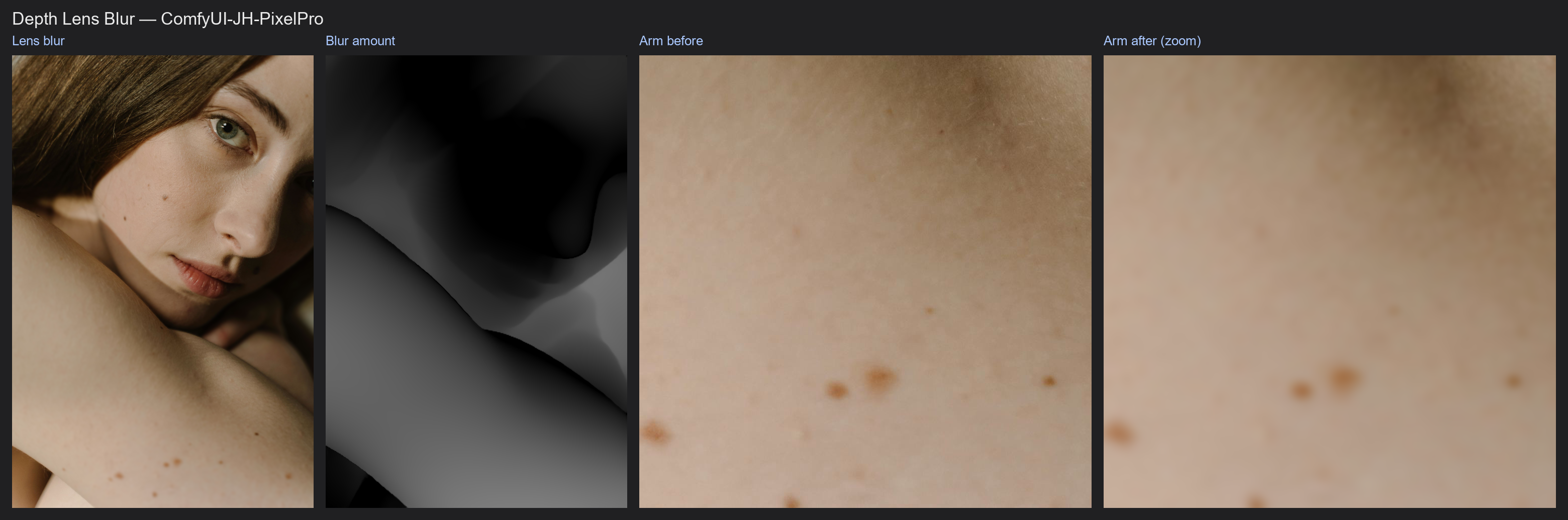
- Depth Lens Blur uses this map for photographic blur
- Face Detect Lite for a face mask to focus on
- Mask Edge Smoother to soften the map
Example workflow
Depth Lens Blur example workflow runs Depth Anything inside Depth Lens Blur and shows the resulting blur map. It uses only core ComfyUI nodes and this pack. Copy workflows/sample_portrait.jpg into ComfyUI/input/.