Face Beauty Blend
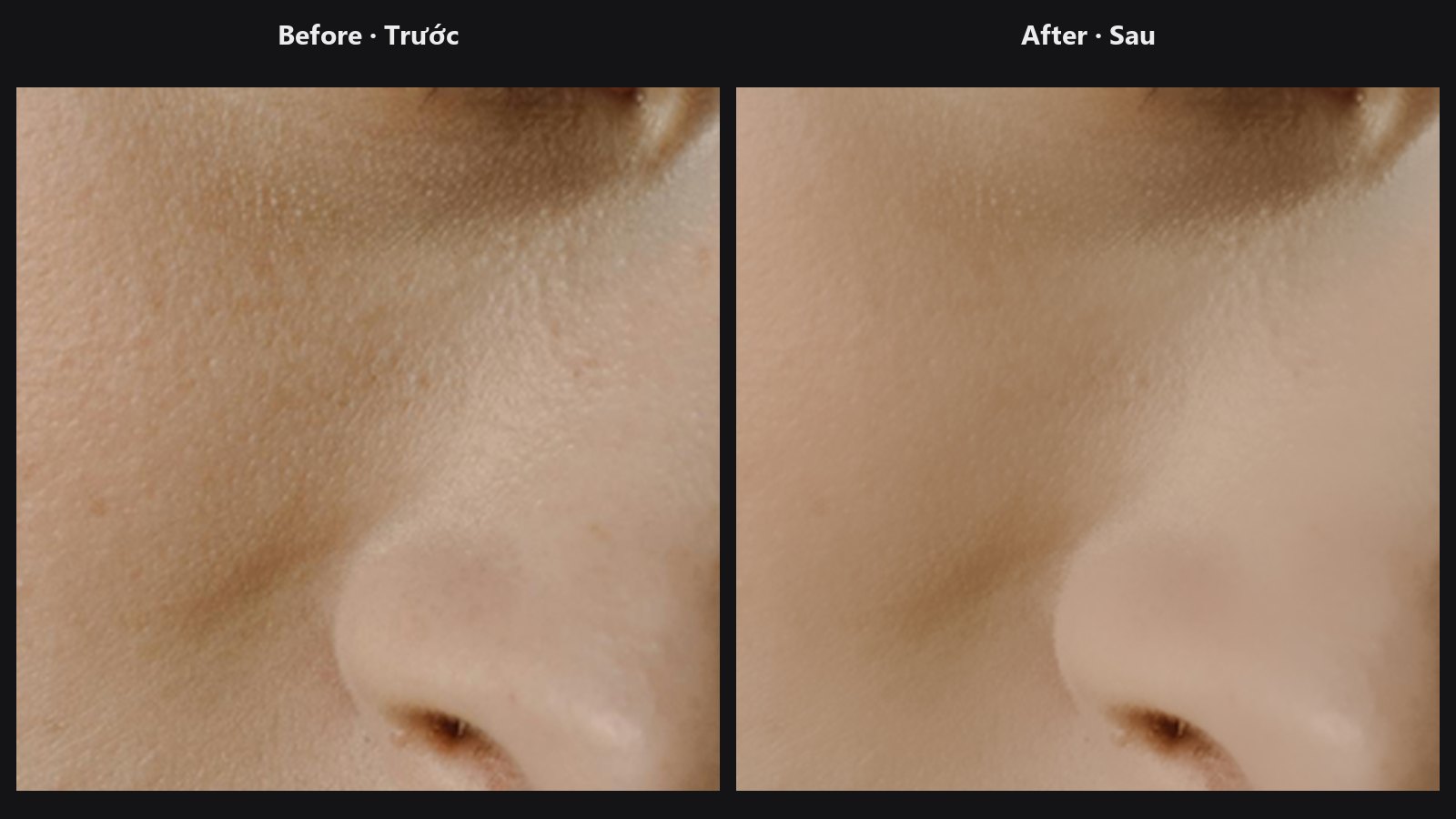
Mixes a retouched picture back over the original, but only where your mask says so. It works like a layer with a mask and an opacity slider.
| In ComfyUI | Add Node → ComfyUI-JH-PixelPro → face → Face Beauty Blend |
| Good for | The last step of a face chain; dialling an AI or smoothing pass down to taste; keeping eyes, lips and hair crisp |
When to use it
A heavy retouch (AI skin, strong smoothing, frequency-separation fixes) often looks too much when applied everywhere at 100 %. Face Beauty Blend gives you the two controls you would use in an editor: a mask that decides where the retouch shows, and a strength that decides how much.
It works on whole pictures of the same size. If you pasted a face back with Unwrap Face, this node is the optional final polish.
Quick start
- Connect your original photo to
baseand the retouched version toretouched. - Connect a mask to
mask(white = show the retouch). A skin or face mask works well. - Start with
strengthat1.0andfeatherat8to16, then lowerstrengthuntil it looks natural.
Settings
| Setting | Default | What it does | Tip |
|---|---|---|---|
base |
— | The original photo. | |
retouched |
— | The edited version. Must be the same size as base. |
|
mask |
— | Where the retouch shows (1 = fully, 0 = not at all). | If its size differs from the image, it is resized to fit. |
strength |
1.0 (0–1) |
Overall opacity of the retouch. | Portrait skin passes often look best at about 0.5 to 0.8. |
feather |
0 (0–64) |
Softens the mask edge, in pixels. | 8 to 24 hides the transition. 0 keeps your mask as is. |
Output: blended (IMAGE), the final picture.
Tips from retouching
- Paint or generate the mask so it excludes eyes, brows, lips and hair. Those areas then stay sharp from the original.
- To make the effect gentler without touching the mask, lower
strength. - Need to soften or clean the mask first? Use Mask Cleanup or Mask Edge Smoother.
baseandretouchedmust match in size and batch. A size mismatch raises an error.
Under the hood
The mask is clamped to [0, 1], resized bilinearly if needed, and blurred with a Gaussian of sigma feather / 3 (replicate border). Then blended = base × (1 − m) + retouched × m with m = blurred mask × strength. A mask batch of 1 is reused for every image in a batch. The code lives in core/face_pipeline.py (beauty_blend).
Related nodes
- Unwrap Face — pastes an aligned crop back before this final blend.
- Skin Tone Tri-Region — makes shadow, midtone and highlight masks to blend through.
- Face Warp TPS and Face Warp — warped results can be limited to the face here.
- Face category overview
Example workflow
Face pipeline example workflow. Copy workflows/sample_portrait.jpg into ComfyUI/input/ first.