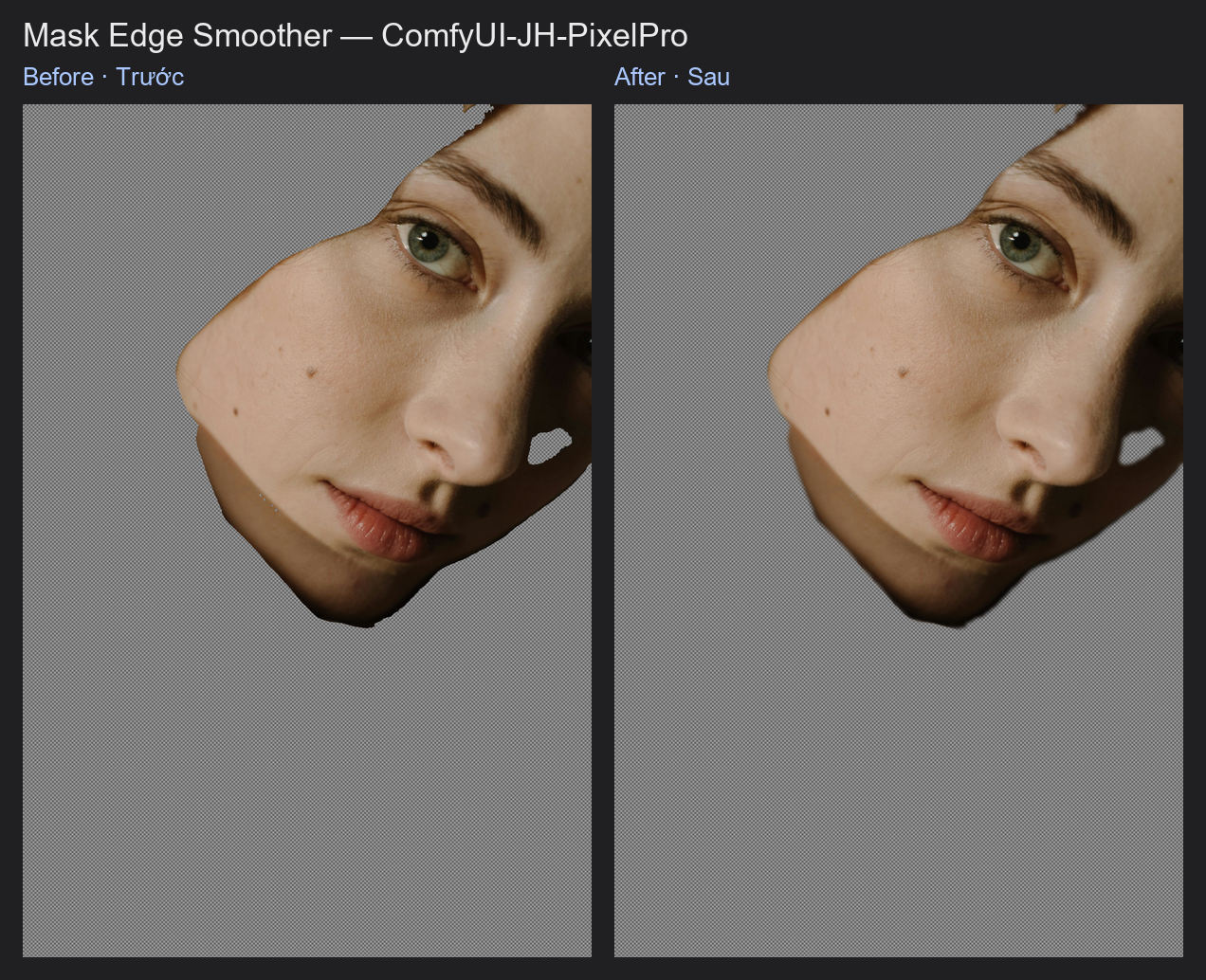
Mask Edge Smoother
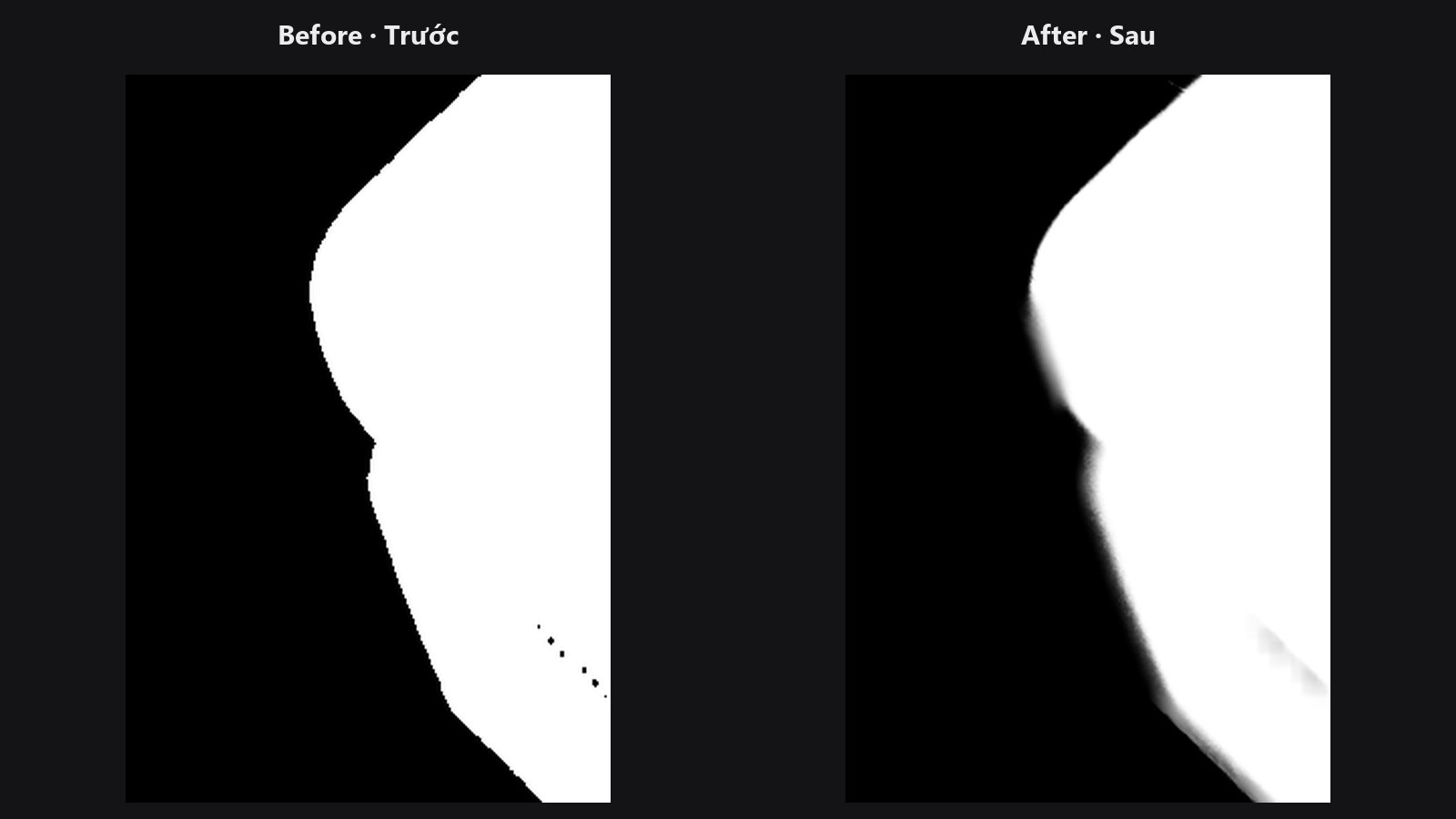
Removes stair-steps and wobble from a mask edge without turning the whole mask into a blur. With a guide image, the smoothing respects the real edges in your photo.
| In ComfyUI | Add Node → ComfyUI-JH-PixelPro → mask → Mask: Edge Smoother |
| Good for | Cleaning jagged AI-segmentation outlines, smoothing a mask after morphology, keeping edges tied to the photo |
When to use it
A normal blur treats every pixel the same, so it also rounds off real corners. A bilateral filter averages a pixel only with neighbours that have a similar value. In a mask, that means the smoothing happens along an edge but not across it. The result: a cleaner, smoother outline that does not melt.
If you also give it a guide photo, it compares photo colours instead of mask values. Smoothing then follows the real boundary in the image, so the mask hugs the subject.
Quick start
- Connect the mask. Optionally connect the same photo to
guide. - Start with
sigma_spatial4,sigma_range0.1,iterations1. - If the edge is still jagged, raise
iterationsto 2 or 3. - Choose
backendgpuon a CUDA machine for large images.
Settings
| Setting | Default | What it does | Tip |
|---|---|---|---|
sigma_spatial |
4.0 | How far (in pixels) the smoothing reaches. | 0.1 to 64. Larger = smoother, slower. |
sigma_range |
0.1 | How different two values can be and still be averaged together. | 0.001 to 1. Low keeps edges sharp; high smooths more. |
iterations |
1 | Number of smoothing passes. | 1 to 5. |
guide (optional) |
none | A photo that steers the smoothing. Must match the mask in size. | Use the original photo. |
backend |
opencv |
opencv runs on the CPU. gpu runs in PyTorch on CUDA and always uses the guide. |
See the note below. |
Output: mask (MASK).
Guide and backend
The opencv backend only uses the guide if the optional opencv-contrib package is installed. Otherwise it quietly falls back to a plain bilateral filter. The gpu backend always honours the guide. If no CUDA device is available, gpu runs on the CPU and logs a warning that it will be slow.
Tips from retouching
- Run it after Mask Morphology or Mask Combine, which can leave small jaggies.
- For a soft transparent edge (a feather), follow with Sub-Pixel Mask Refiner. This node smooths a shape; it does not build a feather band.
- A very large
sigma_spatialis slow. Prefer a few small passes over one huge one.
Under the hood
The filter diameter is max(3, 2 * round(sigma_spatial) + 1). The opencv path uses cv2.ximgproc.jointBilateralFilter when a guide is given and the contrib module exists, otherwise cv2.bilateralFilter. The gpu path is a pure-PyTorch shift-and-accumulate bilateral pass (L1 colour distance, reflect-101 borders), so memory grows with image size, not with the kernel area. Source: core/mask_edge_smooth.py.
Related nodes
- Sub-Pixel Mask Refiner for building a feathered edge
- Edge-Aware Mask Refiner for moving the edge onto the photo's boundary
- Mask Morphology for changing the shape
- Mask Preview for checking the result
Example workflow
Mask Edge Smoother example workflow. Copy workflows/sample_portrait.jpg and workflows/sample_binary_mask.png into ComfyUI/input/. It uses backend = gpu (needs an NVIDIA GPU) with the portrait as the guide to smooth stair-stepped mask edges. With the default opencv backend the node runs on the CPU. It uses only core ComfyUI nodes and this pack.