Alpha Matte
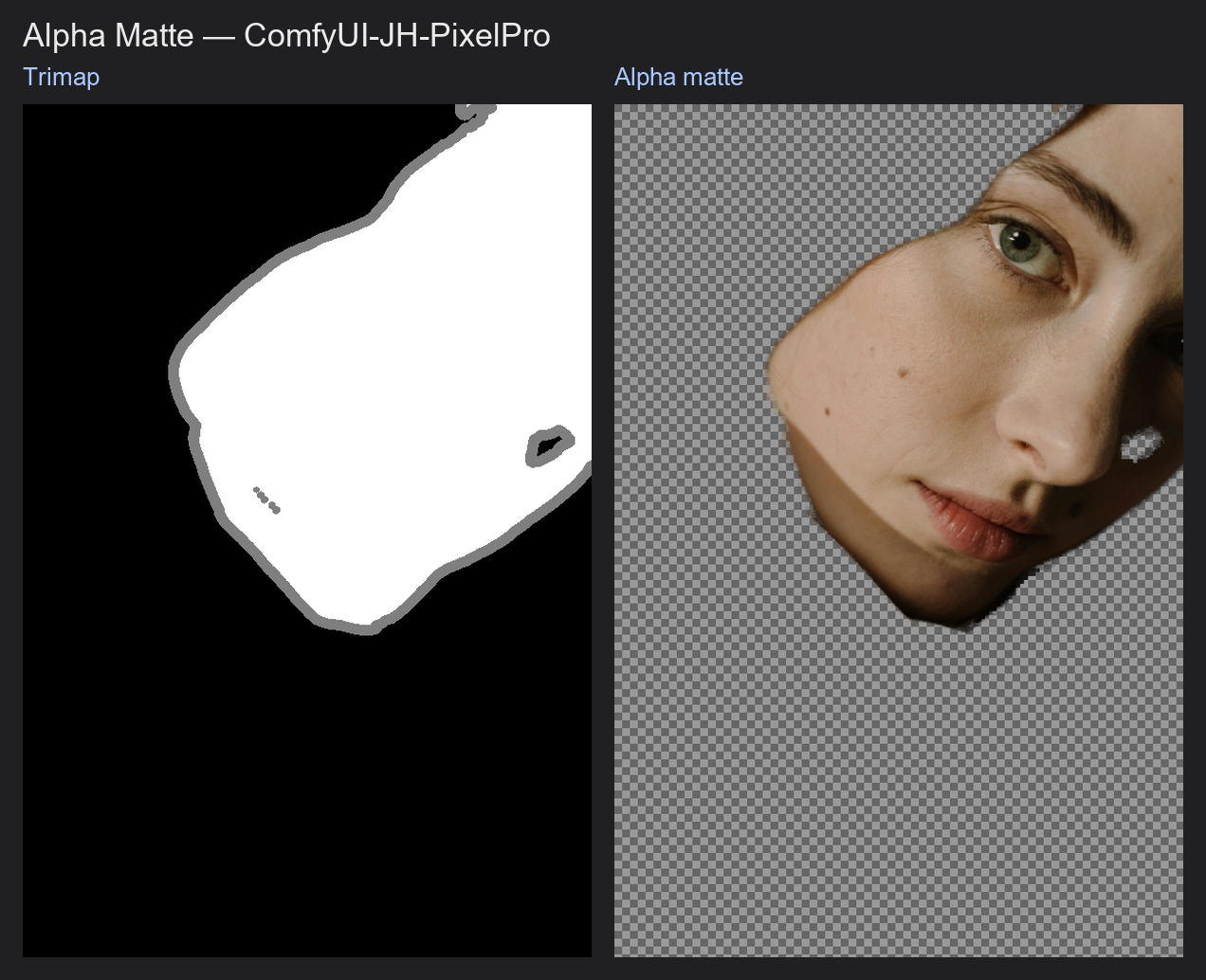
The high-quality cutout node. Give it a photo and a three-zone map (sure subject, sure background, unsure edge) and it works out how transparent each unsure pixel is, which is what hair, fur and glass edges need.
| In ComfyUI | Add Node → ComfyUI-JH-PixelPro → mask → Mask: Alpha Matte |
| Good for | Hair and fur cutouts, semi-transparent edges, clean subject extraction for compositing |
When to use it
Three terms help here.
- Binary mask: every pixel is fully in or fully out. Hair becomes a hard, chopped shape.
- Soft alpha (matte): every pixel has a value from 0 to 1 saying how much of the subject it holds. A strand of hair that covers half a pixel gets about 0.5, so it blends naturally into a new background.
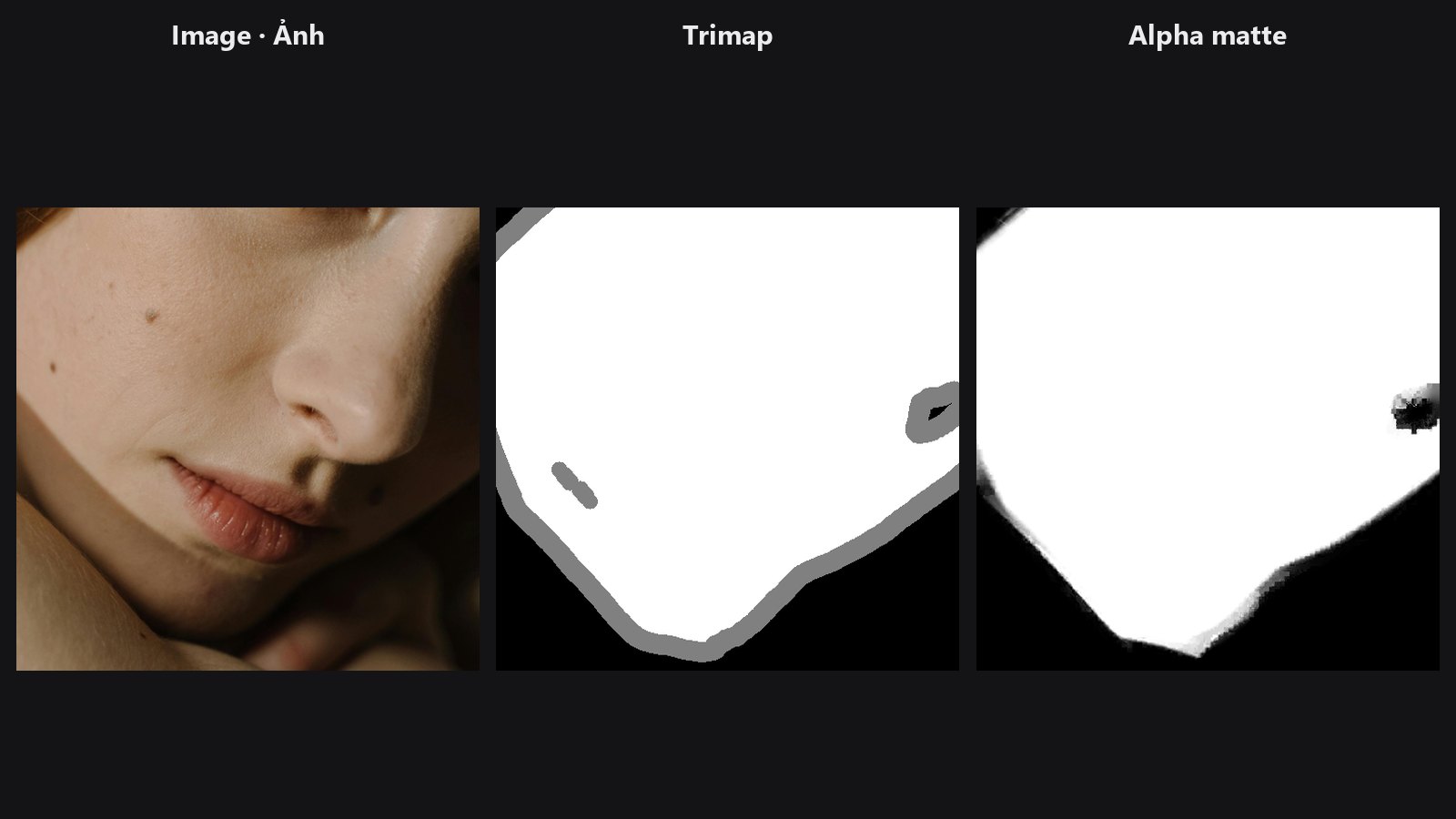
- Trimap: a hint map with three values:
0.0= definitely background,0.5= unknown,1.0= definitely subject. You only ask the algorithm to solve the unknown band, which keeps it accurate. Make one with Trimap Builder.
This node uses closed-form matting (Levin, Lischinski and Weiss, 2008). "Closed-form" means it solves for the whole alpha at once with maths, instead of guessing pixel by pixel. It assumes that inside a small window the photo colours lie roughly along a line between the subject colour and the background colour. That lets it tell a thin strand of hair from background clutter, using the photo itself as a guide.
Quick start
- Make a rough subject mask (SAM, rembg or a hand-painted mask).
- Connect it to Trimap Builder. Widen the unknown band so it fully covers the hair.
- Connect the trimap to
trimapand the original photo toguide. - Leave the other settings at their defaults. Preview
alphawith Mask Preview incutoutmode.
Settings
| Setting | Default | What it does | Tip |
|---|---|---|---|
epsilon |
1e-7 | Numerical safety term for the local colour model. | Range 1e-8 to 0.01. Leave at the default unless the result looks noisy. |
window_radius |
1 | Size of the neighbourhood used to model colours. | 1 to 3. Raise it for blurry or low-contrast images. |
lambda_constraint |
100.0 | How strictly the result must respect the sure-subject and sure-background areas of the trimap. | 1 to 10000. Higher keeps known areas locked. |
compute_device |
auto | auto uses the GPU when the guide image is already on the GPU. cuda forces the GPU and errors if none is available. cpu forces the CPU. |
Leave on auto. |
Output: alpha (MASK), soft values from 0 to 1.
Trimap format
The trimap must use only 0.0, 0.5 and 1.0 (a tolerance of 0.05 is allowed). Any other value raises an error. A hand-painted or blurred mask will not pass, so build it with Trimap Builder.
Tips from retouching
- The unknown band must cover all the fine detail. If hair strands fall in the "sure subject" zone, they stay solid. If background falls in the "sure subject" zone, it stays in.
- Keep the unknown band as narrow as the detail allows. A narrower band gives a cleaner result.
- Matting needs a colour difference between hair and background. Dark hair on a dark background is hard for any matting method.
- Use colour decontamination or edge colour fixing in your composite to remove background colour from hair edges.
- Work on a cropped region for very large images. This node solves a large system of equations and is heavier than the other mask nodes.
Under the hood
Builds the matting Laplacian from local RGB covariance windows (radius window_radius, regulariser epsilon) and solves (L + lambda D) alpha = lambda b, where D marks the trimap's known pixels and b their known alpha. The CPU path uses SciPy sparse solvers with a conjugate-gradient fallback. The GPU path builds a CUDA sparse matrix and runs a Jacobi-preconditioned conjugate gradient in PyTorch; if it fails (for example, out of memory) it warns and falls back to the CPU path. Each batch item is solved separately. A guide of batch 1 is broadcast. Source: core/mask_alpha_matte.py, trimap validation in core/mask_trimap.py.
Related nodes
- Trimap Builder to create the required trimap
- Edge-Aware Mask Refiner for a lighter edge fix
- Mask Preview for viewing the matte as a cutout
- Mask Cleanup for cleaning the rough mask before building the trimap
Example workflow
Alpha Matte example workflow. Copy workflows/sample_portrait.jpg and workflows/sample_binary_mask.png into ComfyUI/input/. It builds a trimap from the subject mask, shrinks the photo to 25% to keep matting fast, and solves the unknown band. With compute_device = auto a CPU image stays on the CPU; pick cuda on an NVIDIA GPU for roughly 5x speed. It uses only core ComfyUI nodes and this pack.