Layer Group
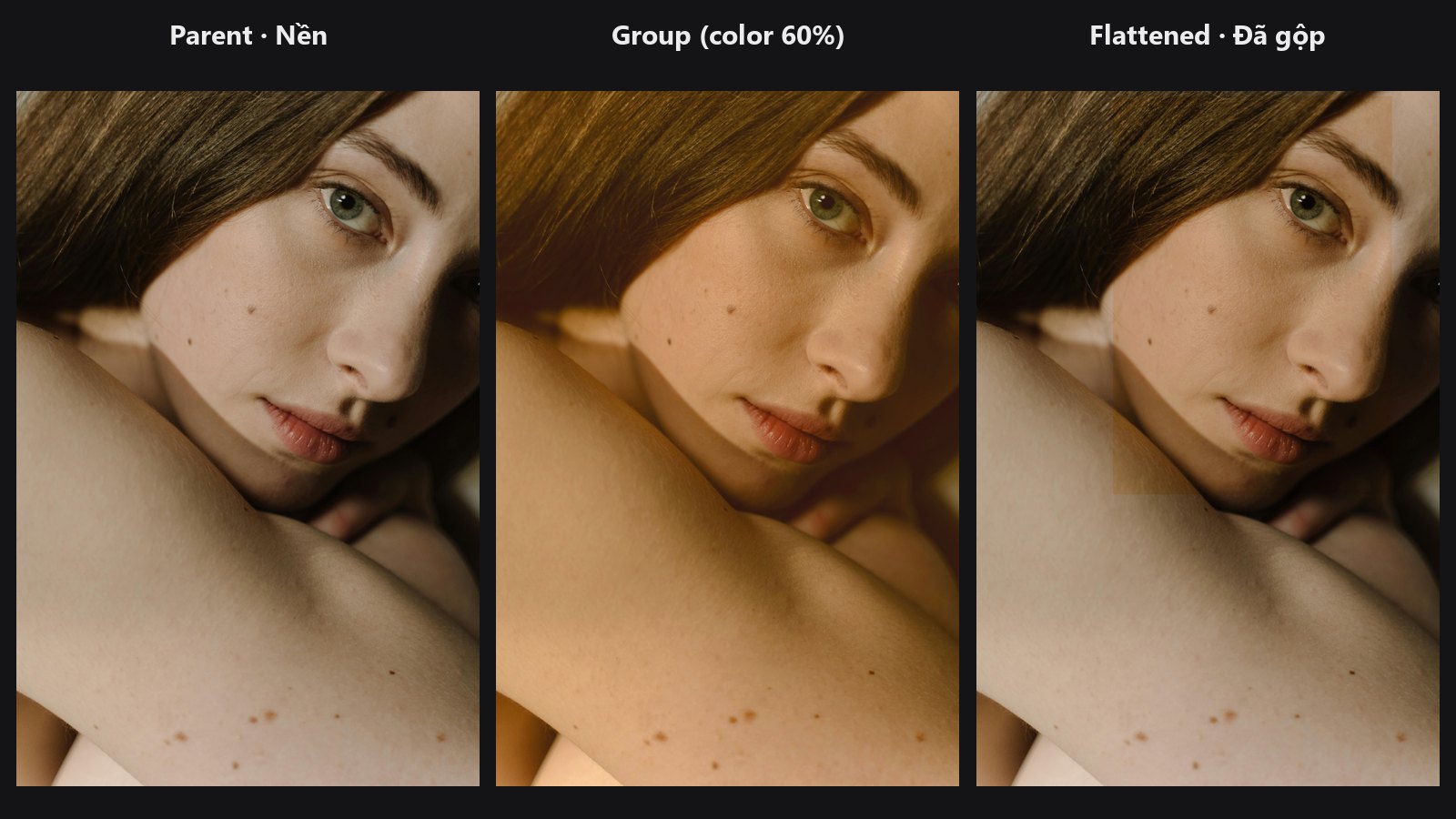
Takes a second layer stack, merges it into a single layer and adds that layer to your main stack. It works like a group folder in Photoshop that has its own blend mode, opacity and mask.
| In ComfyUI | Add Node → ComfyUI-JH-PixelPro → compositing → Compositing: Layer Group (nest) |
| Good for | Keeping a set of grading layers together, fading a whole look in and out, masking several layers at once |
When to use it
When a look is made of several layers (for example a tint, a vignette and a glow), you often want to control them as one. Build those layers in their own stack, then nest the stack with Layer Group and set a single blend mode, opacity and mask for the whole thing.
Quick start
- Main chain:
Load Image→ Layer Stack Start → any Layer Add nodes →parent_stack. - Group chain: a second Layer Stack Start with its own Layer Add nodes →
sub_stack. - Set
group_blend_mode(tryoverlay) andgroup_opacity(try0.8). - Continue with more layers, or finish with Layer Flatten.
Settings
| Setting | Default | What it does | Tip |
|---|---|---|---|
parent_stack |
— | The stack that receives the group. | The group goes on top of it. |
sub_stack |
— | The stack to merge into the group. | Needs its own background layer from Layer Stack Start. |
group_blend_mode |
normal |
How the merged group mixes with the layers below. | Same 27 modes as Layer Add. |
group_opacity |
1.0 (0 to 1) |
How strongly the group shows. It is applied once, as the group's only strength control. | Lower it to fade the whole look. |
group_mask (optional) |
none | Where the group shows. | White shows the group, black hides it. |
Output: LAYER_STACK, the parent stack with the group on top.
Tips from retouching
- The merged group is a full-frame picture, including the background of its own stack. Use a blend mode such as
overlayorsoft_light, or a mask, so the layers below stay visible. - Put the mask on the group instead of on each layer inside it when you want one soft area for the whole look.
- Build the group's layers on the same image as the main background if you want them to react to the same picture.
Under the hood
The sub-stack is rendered first with the same renderer as Layer Flatten (compose_stack in core/blend_modes.py), resized to the parent canvas, and appended to the parent stack as one ordinary layer that remembers its sub-stack. A group has no separate fill: group_opacity is the only strength control and is applied once (fixed in v1.5.4; earlier versions applied it twice, so the group looked weaker than the slider said). Source: nodes/layer_compositing.py.
Related nodes
Example workflow
Layer compositing: group and clipping. Copy workflows/sample_portrait.jpg into ComfyUI/input/.