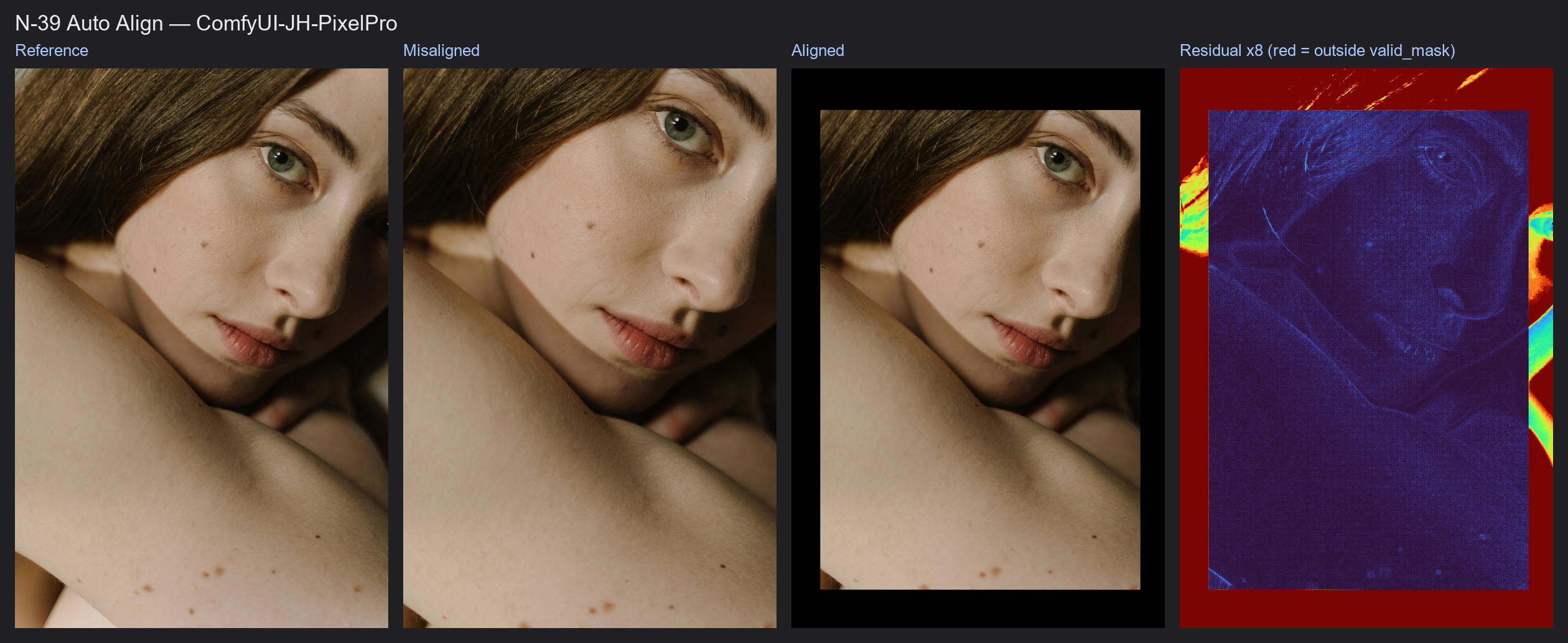
Auto Align
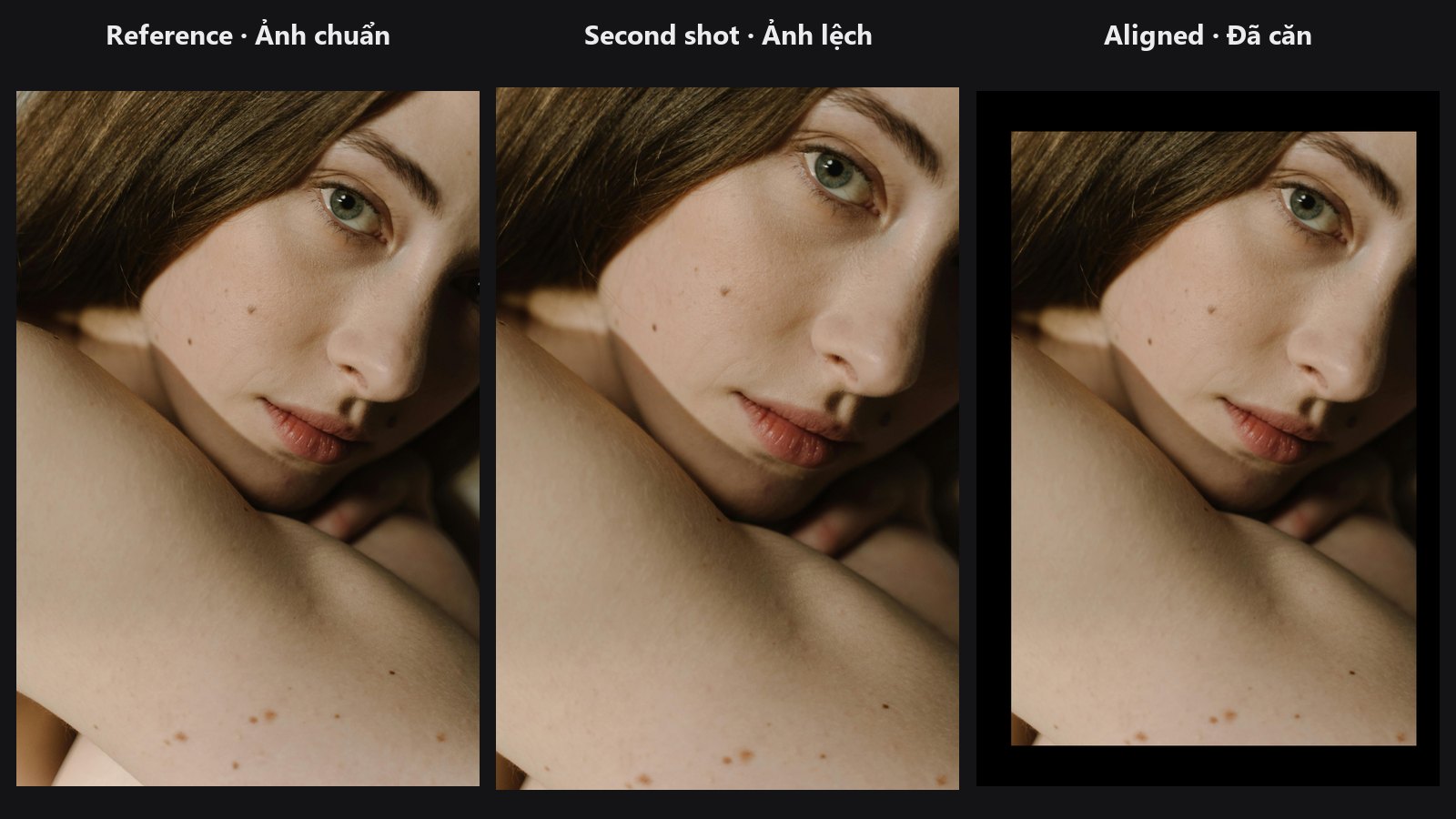
Finds the same points in two photos, works out how one must move, rotate or tilt to match the other, and warps it into place. No manual markers needed.
| In ComfyUI | Add Node → ComfyUI-JH-PixelPro → geometry → Geometry: Auto Align |
| Good for | Lining up exposure brackets, before/after retouch pairs, and shots that must match a reference before a colour match or layer blend |
When to use it
Use it whenever two images show the same scene but are not pixel-aligned, for example handheld shots or a crop and an original. Align first, then compare or blend: Color Matcher and Layer Add work much better when both images show the same content in the same place.
Quick start
- Connect the picture to move to
imageand the target frame toreference. - Keep
method = siftandmodel = homography. - Look at
alignedinPreview Image, and check thatinliersis comfortably abovemin_inliers. - Use
valid_maskto ignore the empty borders.
Settings
| Setting | Default | What it does | Tip |
|---|---|---|---|
image |
— | The image to warp. | |
reference |
— | The target frame. The output has this size. | One image, or the same batch size as image. |
method |
sift |
sift: classic keypoints, no download. loftr: learned matcher for hard pairs. |
LoFTR downloads about 45 MB on first use. |
model |
homography |
homography handles perspective change. affine allows rotate, scale, shear and shift only. |
affine is steadier for flat scenes or few matches. |
max_side |
1024 (256 to 2048) |
Longest side used for matching. The final warp uses full resolution. | Lower is faster. |
ransac_threshold |
3.0 (0.5 to 20) |
How many pixels (at matching size) a match may be off and still count. | Raise for slightly blurry pairs, lower for a tight fit. |
min_inliers |
12 (4 to 500) |
Fewer agreeing matches than this triggers the fallback. |
| Output | Type | Meaning |
|---|---|---|
aligned |
IMAGE |
image warped to the reference size. |
valid_mask |
MASK |
1 where the warp has real pixels, 0 where the frame is empty. |
matrix_json |
STRING |
The 3×3 transform (one per image in a batch) in full-resolution pixels. |
inliers |
INT |
Number of agreeing matches for the first image in the batch. |
Tips from retouching
- sift or loftr: start with
sift. Tryloftrwhen SIFT finds few matches (big lighting change, soft focus, repeated textures). - valid_mask: after a rotation or shift the edges of
alignedare black. Use the mask to crop, feather, or restrict where a colour match reads its statistics. - If the node cannot find enough agreeing matches it does not stop. It logs a warning, resizes the image to the reference size and returns an all-white
valid_mask. Always checkinliers. - Moving subjects (people, leaves) are ignored as long as the background has enough texture.
- For batches,
inliersonly reports the first image; check the others inmatrix_json(a pure scale matrix means that image used the fallback).
Under the hood
Both images become grayscale copies shrunk to max_side. SIFT extracts keypoints and keeps mutual nearest-neighbour matches; LoFTR runs a neural network. RANSAC fits the chosen model on random subsets and keeps the fit most matches agree with, then the inliers are refitted by least squares and the matrix is scaled back to full resolution. The warp is bilinear (Kornia warp_perspective). valid_mask is the same warp applied to an all-ones image. Source: core/auto_align.py and nodes/auto_align_node.py.
Related nodes
Example workflow
Auto Align example workflow. Copy workflows/sample_portrait.jpg into ComfyUI/input/.