HALD Identity
Creates a special image that contains every colour in a grid and does nothing on its own. Whatever grade you apply to it can be saved as a .cube LUT.
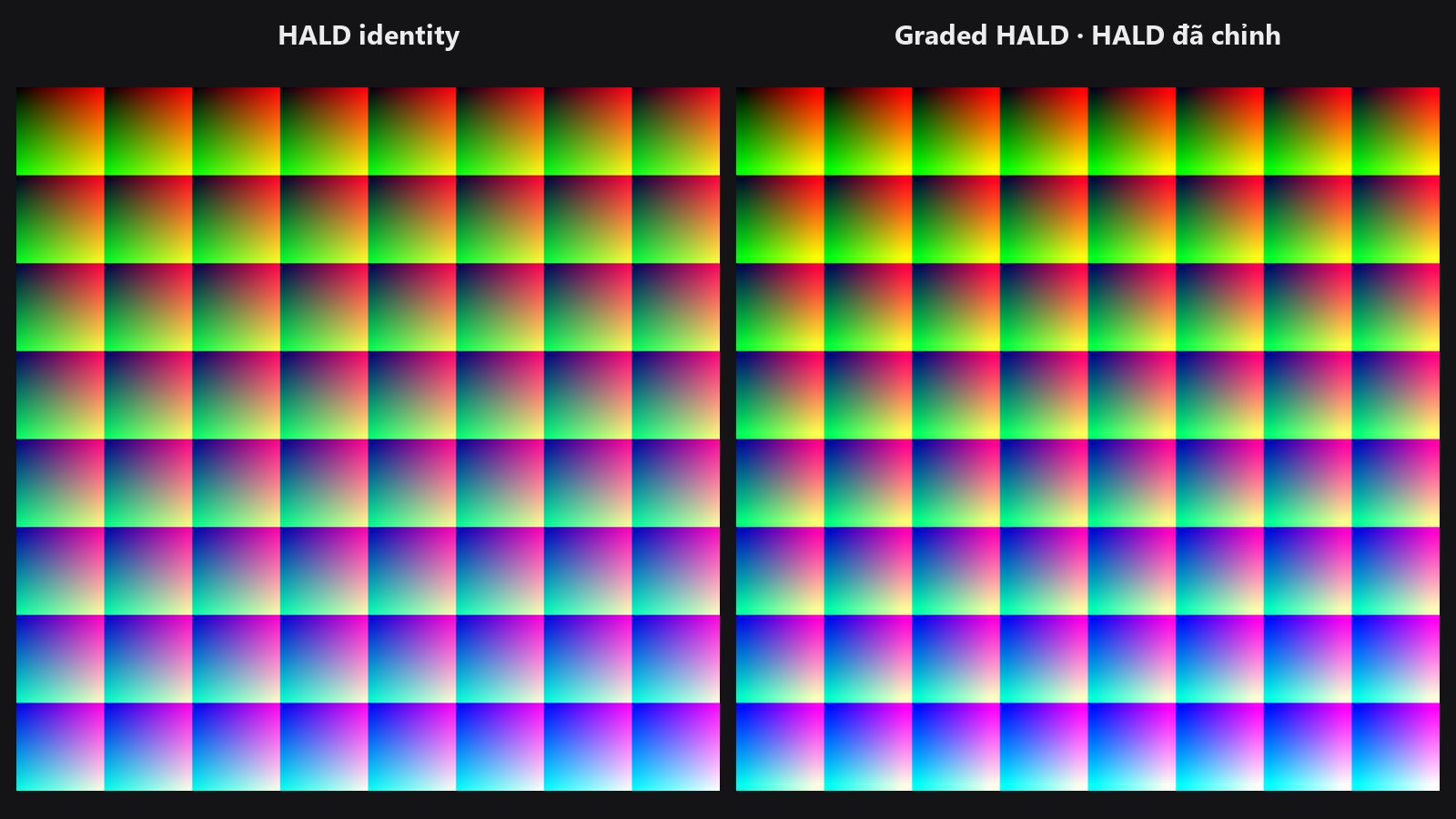
| In ComfyUI | Add Node → ComfyUI-JH-PixelPro → color → HALD Identity |
| Good for | Starting a LUT export, turning any colour-only node chain into a reusable look |
| Speed | Instant. Higher levels make a bigger image (level 12 is 1728 × 1728 px) |
When to use it
Think of it as a blank colour chart. It looks like a smooth, multicoloured pattern. If you send it through colour nodes (tone curve, colour balance, …), the pattern changes in exactly the way those nodes change every colour in a photo. LUT Export then reads the graded chart and writes the grade out as a .cube file.
This is the first step of the LUT workflow:
HALD Identity → colour nodes only → LUT Export → .cube file
Colour-only nodes between HALD and Export
The chart only survives colour operations that treat each pixel on its own, such as Tone Curve or Hue/Saturation per Range. Do not blur, sharpen, resize, crop, rotate or add grain: they move or mix the pixels and the exported LUT will be wrong.
Quick start
- Add HALD Identity and leave
levelat8. - Connect its
imageoutput to your grade (for example Tone Curve). - Connect the graded image to LUT Export and wire
levelfrom HALD Identity to LUT Export'slevelinput.
The full walk-through is on the LUT Export page.
Settings
| Setting | Default | What it does | Tip |
|---|---|---|---|
level |
8 | Quality of the LUT. Choices: 4, 6, 8, 10, 12. | 8 gives a 64-point cube, the usual standard for creative looks. |
| Level | LUT grid | Chart size |
|---|---|---|
| 4 | 16 points per side | 64 × 64 px |
| 8 | 64 points per side | 512 × 512 px |
| 12 | 144 points per side | 1728 × 1728 px |
Outputs:
image— the identity chart, a single image.level— the same number as an integer, so you can wire it straight into LUT Export.
Tips from retouching
- Stay at 8 unless you have a reason. Higher levels give a smoother LUT for extreme grades but make a larger file and use more memory.
- Always wire
levelto LUT Export. A mismatch raises an error. - Preview the chart before the grade, then again after, to check it still looks like a smooth colour pattern.
Under the hood
For level L the LUT has N = L² points per axis and the chart is L³ × L³ pixels, following the ImageMagick HALD convention. Red varies fastest along x, green along y, and blue steps through the L × L tiles. The tensor is float32 in [0, 1], shape (1, L³, L³, 3). The node offers levels 4, 6, 8, 10 and 12; the underlying function accepts 2 to 16.
Related nodes
- LUT Export — writes the graded chart to a
.cube. - LUT Import — applies a
.cubeto a photo. - Tone Curve — a common grade to put between the two.
- Tone Match LUT — builds a LUT automatically from a reference image.
Example workflow
LUT Export example workflow. HALD Identity, Tone Curve and LUT Export in a row; a Preview Any node shows the written file path. No input image is needed.