Lens Distortion
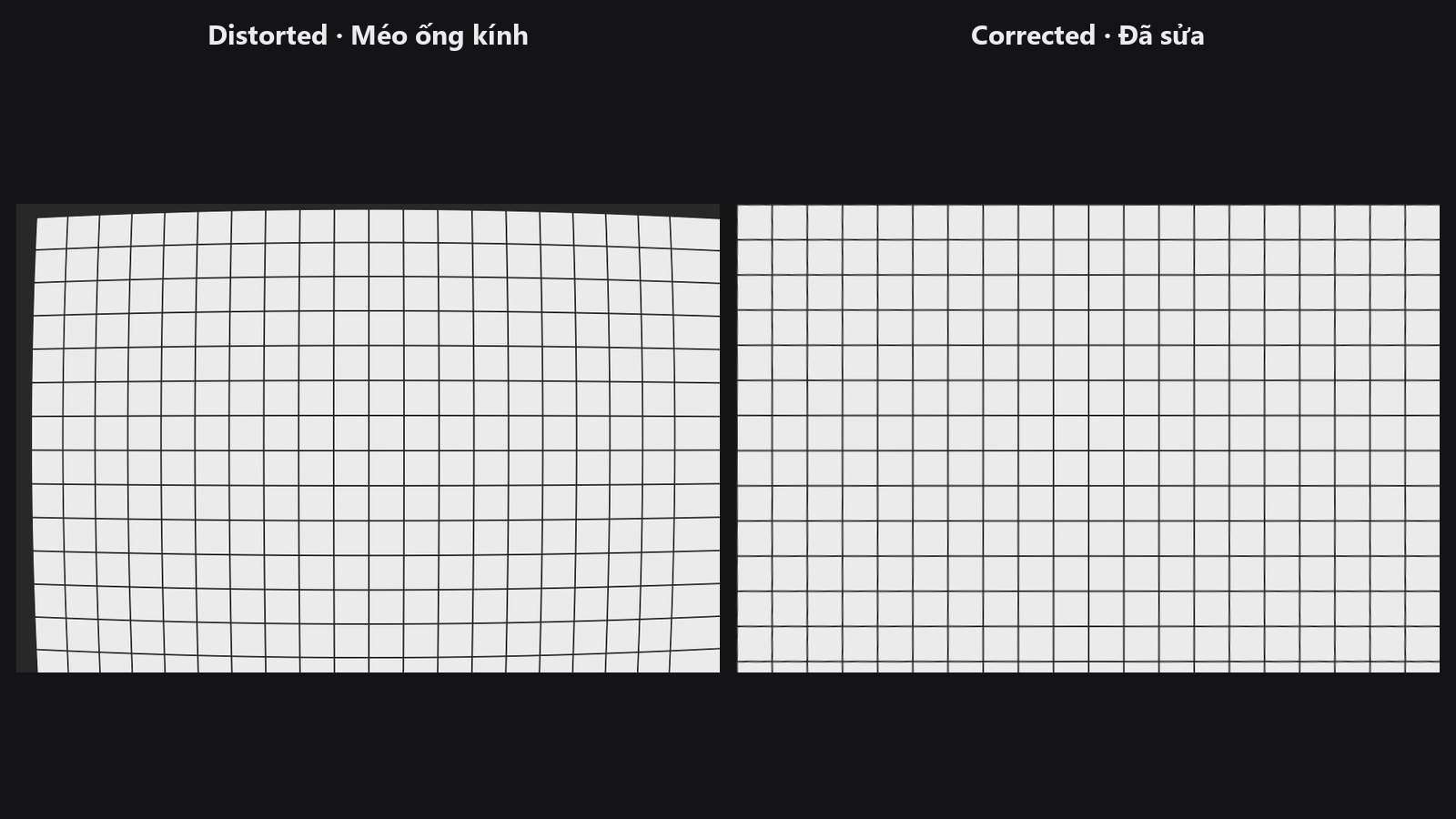
Fixes the bending of straight lines caused by a lens (wide-angle barrel distortion, mild pincushion on short tele lenses), or does the reverse to give a clean image a lens look.
| In ComfyUI | Add Node → ComfyUI-JH-PixelPro → geometry → Lens Distortion Corrector |
| Good for | Wide-angle portraits with stretched faces or curved edges, action-camera footage, creative lens effects |
When to use it
Wide lenses bend straight lines near the frame edge and stretch faces. Correct this before face detection, alignment or geometry-sensitive edits so later steps work on a more natural shape.
Pick a preset that is close to your lens, or choose custom and enter the coefficients yourself. The presets are approximations, not profiles for a specific camera, so check the result by eye.
Quick start
Load Image→ Lens Distortion Corrector →Preview Image.- Choose a
preset, for examplecanon_24mm_wide. - Keep
direction = inverseto correct the picture. - Compare with the original and switch preset or use
customif lines still bend.
Settings
| Setting | Default | What it does | Tip |
|---|---|---|---|
preset |
no_op_identity |
canon_24mm_wide: barrel correction for wide lenses. sony_85mm_tele: mild pincushion correction. gopro_fisheye: strong barrel removal. no_op_identity: leaves the image unchanged. custom: use the five values below. |
When a preset is chosen, the five values below are ignored. |
direction |
inverse |
inverse corrects a distorted photo. forward adds distortion to a clean one. |
Use forward for creative effects. |
k1, k2, k3 |
0.0 (−1 to 1) |
Radial distortion: how much lines bend toward the edges. | Used only with custom. Negative k1 corrects barrel distortion. |
p1, p2 |
0.0 (−0.1 to 0.1) |
Tangential distortion, for a lens that is slightly off-centre. | Used only with custom. Rarely needed. |
Output: image_rectified, the corrected (or distorted) picture (IMAGE).
Tips from retouching
- Correct lens distortion first, then crop, align and retouch.
- Look at a straight edge near the corner of the frame to judge the result.
- The output keeps the original frame size.
- Run it before Face Detect Lite and Facial Aligner on wide portraits.
Under the hood
Implements the Brown-Conrady model with k1, k2, k3 (radial) and p1, p2 (tangential). The camera is assumed to have its focal length equal to the longer image side and its centre at the image centre, so values are approximate rather than calibrated. Preset values: canon_24mm_wide k1 −0.18, k2 0.08, k3 −0.02; sony_85mm_tele k1 0.03, k2 −0.01; gopro_fisheye k1 −0.35, k2 0.12, k3 −0.04; tangential terms are 0. Inverse mode uses Kornia undistort_image on GPU and OpenCV remap on CPU (and as a fallback); forward mode samples with grid_sample. Source: core/lens_distortion.py and nodes/lens_distortion_node.py.
Related nodes
Example workflow
Lens Distortion example workflow. Copy workflows/sample_portrait.jpg into ComfyUI/input/.