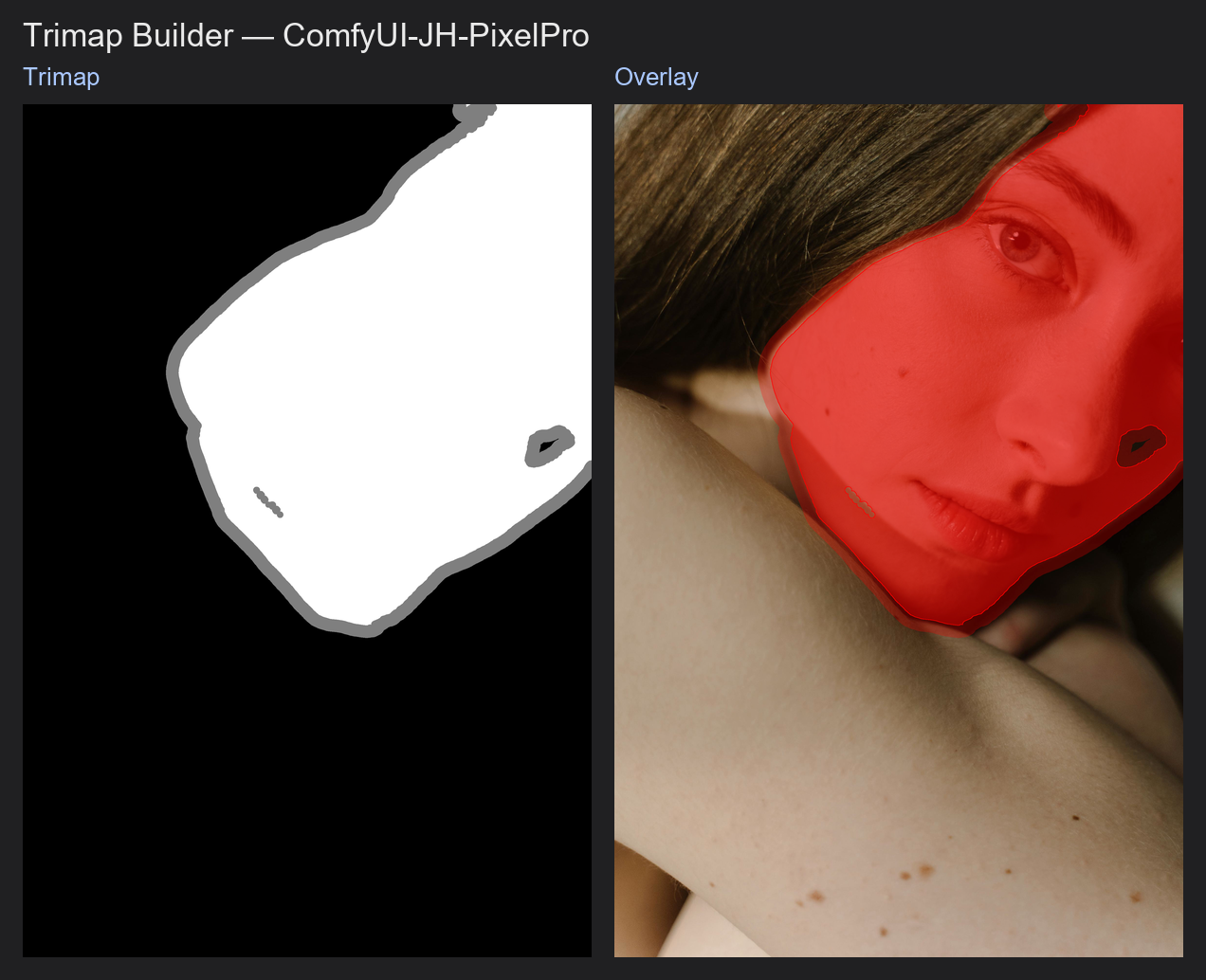
Trimap Builder
Converts an ordinary mask into a trimap: a map with a sure-subject core, a sure-background area, and a band of "unknown" pixels around the edge where the real transparency has to be worked out.
| In ComfyUI | Add Node → ComfyUI-JH-PixelPro → mask → Mask: Trimap Builder |
| Good for | Preparing the input for Alpha Matte, defining how wide the edge zone is |
When to use it
A trimap has exactly three values:
| Value | Meaning | Shows as |
|---|---|---|
0.0 |
Definitely background | Black |
0.5 |
Unknown: solve this | Grey |
1.0 |
Definitely subject | White |
Matting algorithms do not try to decide the whole picture. They only work out the grey band. The more accurately you place that band over hair, fur or other soft edges, the better the final cutout. This node draws the band automatically by shrinking the subject and the background away from the mask edge. Whatever is left between them becomes the unknown zone.
Quick start
- Get a rough mask from SAM, rembg or similar.
- Connect it to Trimap Builder. Start with
fg_radius4 andbg_radius8. - Check it with Mask Preview in
heatmapmode: you should see three flat levels. - Connect the trimap to Alpha Matte.
Settings
| Setting | Default | What it does | Tip |
|---|---|---|---|
fg_radius |
4 | How far to shrink the subject inward to get the sure-subject core. | 1 to 64. Raise it for a wider unknown band on the inside. |
bg_radius |
8 | How far to shrink the background away from the edge to get the sure-background area. | 1 to 64. Raise it where the mask is loose or hair sticks out. |
smoothing |
0.0 | Optional blur applied to the mask before it is split into zones. It rounds off jagged outlines. | 0 to 16. 1 to 2 helps with ragged masks. |
The width of the unknown band is roughly fg_radius + bg_radius.
Output: trimap (MASK) with the values 0.0, 0.5 and 1.0 only.
Tips from retouching
- Make
bg_radiuslarger thanfg_radiuswhen the mask is tight and hair sticks out beyond it. - For hard-edged products, use small radii (2 to 4). A thin band leaves less room for errors.
- Do not blur or resize a trimap afterwards. That creates in-between values, and Alpha Matte will reject it.
- Clean the input mask with Mask Cleanup first, so stray specks do not each get their own unknown halo.
Under the hood
The input is clamped to 0..1 and optionally Gaussian-blurred (smoothing is the sigma). It is then thresholded at 0.5. The sure-subject core is the binary mask eroded by an elliptical kernel of radius fg_radius (OpenCV). The sure-background is the inverse mask eroded by radius bg_radius. Everything that is neither is 0.5. Runs on the CPU per batch item and returns to the input device. The input must be (B,H,W). Source: core/mask_trimap.py.
Related nodes
- Alpha Matte, which consumes the trimap
- Mask Morphology for growing or shrinking a mask by hand
- Mask Cleanup to prepare the input mask
- Mask Preview to inspect the three zones
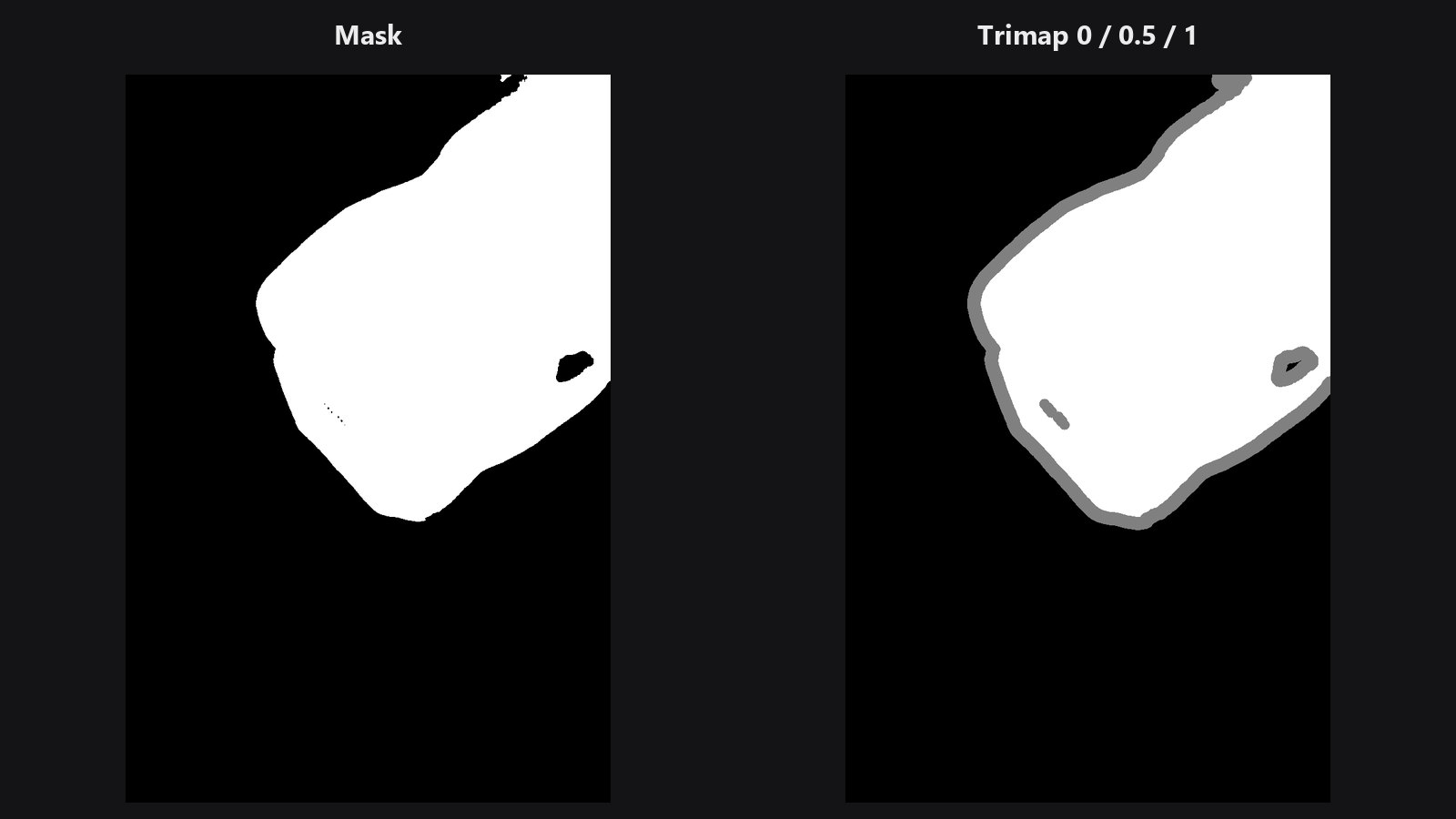
Example workflow
Trimap Builder example workflow. Copy workflows/sample_portrait.jpg and workflows/sample_binary_mask.png into ComfyUI/input/. It shows the sure-subject, unknown and sure-background bands built from the subject mask. It uses only core ComfyUI nodes and this pack.