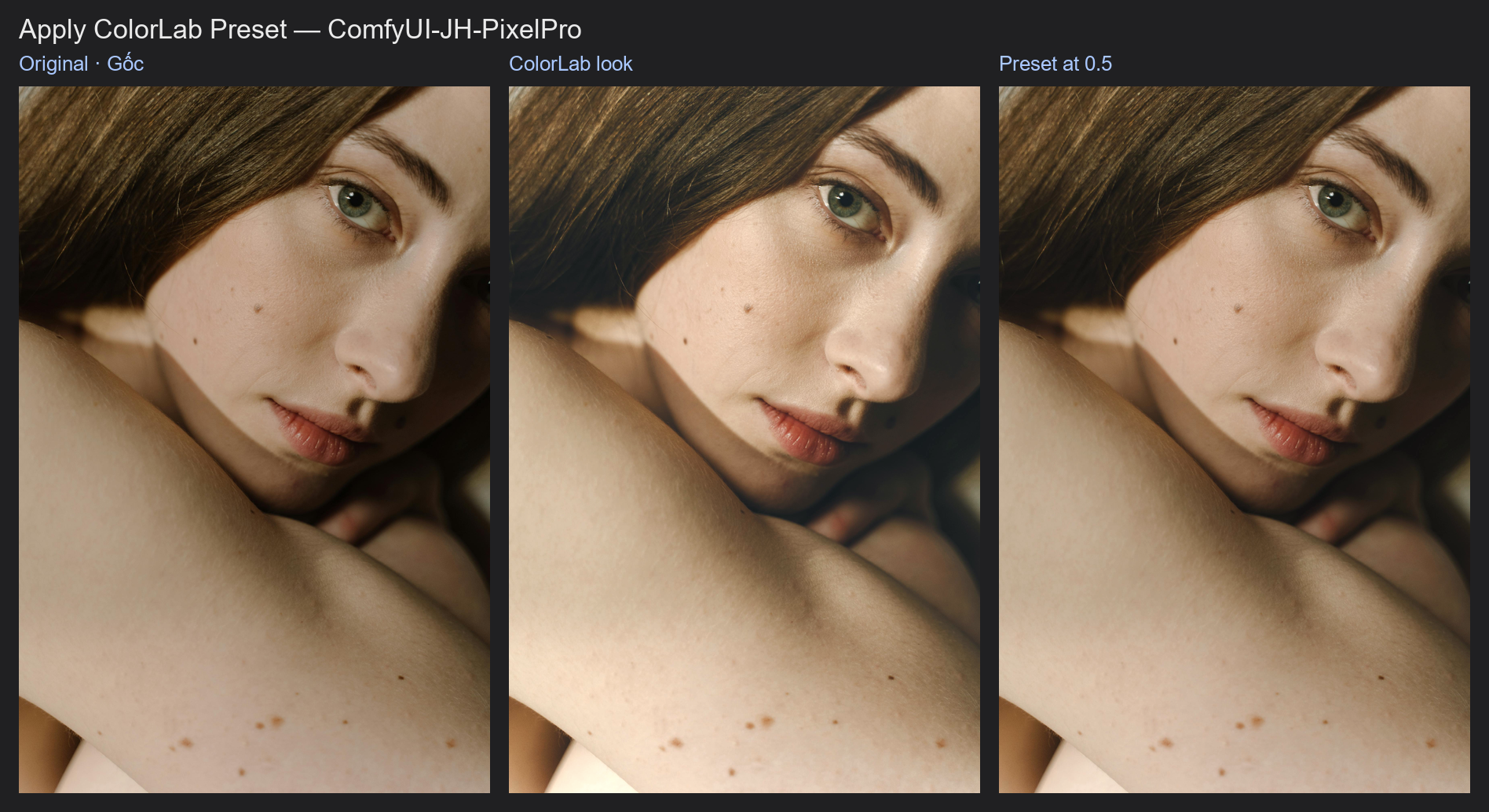
Apply ColorLab Preset
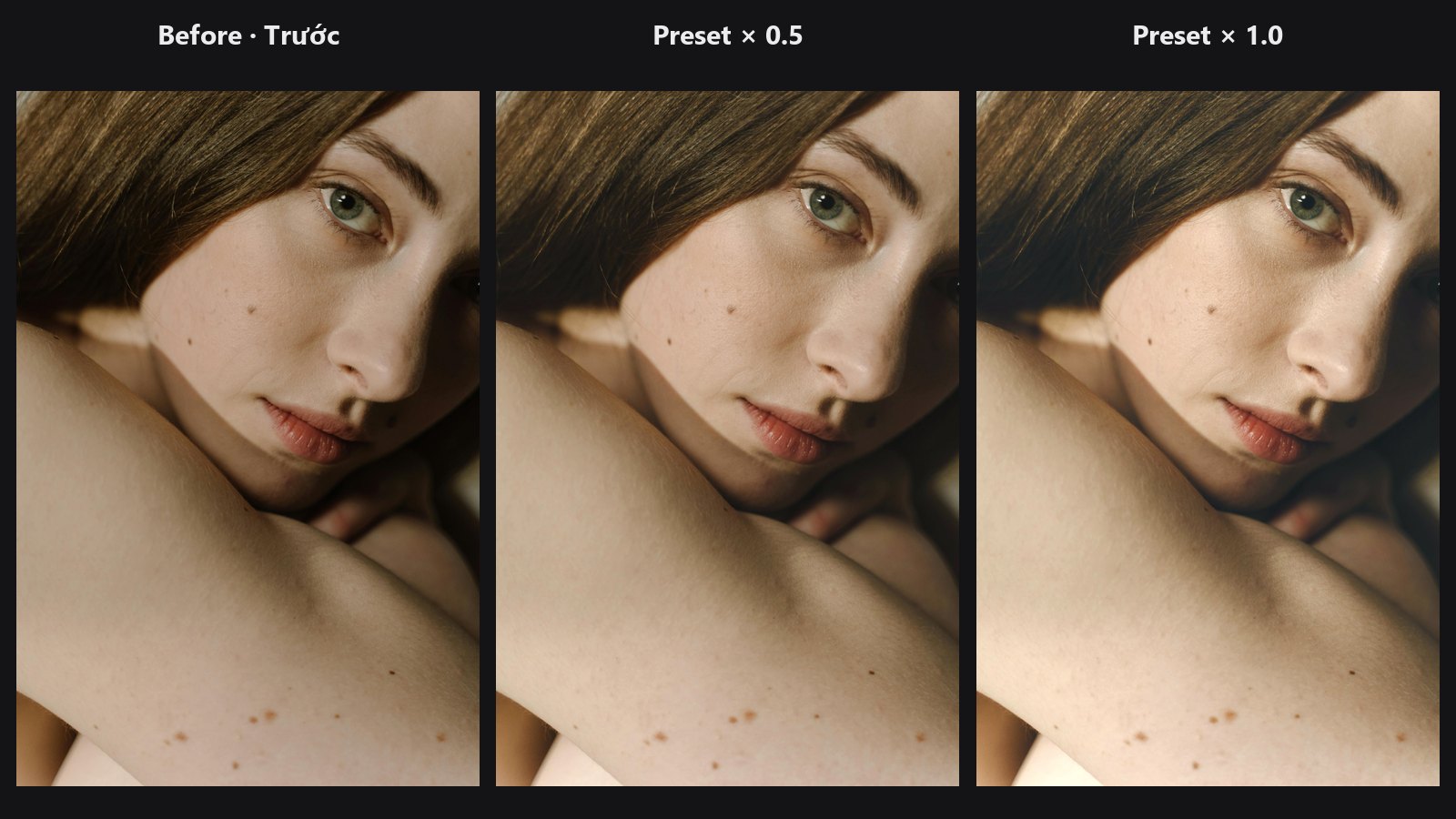
Takes the settings from a ColorLab or Lightroom Preset node and applies the same look to another picture. One strength slider makes the look lighter or stronger, like the Amount slider on a Lightroom preset.
| In ComfyUI | Add Node → ComfyUI-JH-PixelPro → color → Color: Apply ColorLab Preset |
| Good for | Giving a batch of photos the look you built on one, toning a look down or up, applying a Lightroom preset at partial strength, grading only inside a mask |
When to use it
You grade one hero shot in ColorLab until it looks right. ColorLab's params_json output holds those settings as a preset. Connect it to this node and every image you feed in gets the same grade, without copying sliders by hand.
The strength slider scales the amounts of the preset, the way Lightroom's preset Amount does. Exposure, contrast, HSL, grading saturation and so on all shrink or grow together. Things that describe which colour or what shape stay the same: the grading hues (a teal shadow stays teal at any strength) and the shape settings of the vignette and grain. Point curves move toward a straight line as strength goes down.
It also accepts params_json from Lightroom Preset, so you can load a preset once and reuse it at different strengths.
Quick start
- Load Image → ColorLab. Grade the picture.
- Add Color: Apply ColorLab Preset. Connect ColorLab's
params_jsonoutput to itsparams_jsoninput. - Connect the image (or batch) you want to grade to
image, andimageoutput → Preview Image. - Start at
strength1.0, then try 0.5 to 0.8 for a softer version.
Settings
| Setting | Default | What it does | Tip |
|---|---|---|---|
image |
The picture or batch to grade. | ||
params_json |
The preset, as ColorLab settings. Connection only: from ColorLab, Lightroom Preset, or a text node holding a saved preset. | Invalid JSON stops the run with an error; unknown setting names are ignored with a warning. | |
strength |
1.0 | 0 to 2. Scales every amount in the preset. 0 returns the original image unchanged; above 1 pushes the look further. | 0.5 to 0.8 for a subtle look, 1.2 to 1.5 to exaggerate a weak preset. |
mask (optional) |
none | Applies the preset only where the mask is white, with soft edges where it is grey. | It must be the same size as the image. Build it with Luminosity Masking or a subject mask. |
What strength does not scale:
- Grading hues (
grade_*_hue): the tint colour stays the same, only its strength changes. - Vignette midpoint, feather and roundness, and grain size and roughness: the shape stays, the amount scales.
- On/off and text settings:
gray_enable,exposure_mode,tone_engine. A black-and-white preset fades in instead: below strength 1 the black-and-white result is blended over the colour one, so 0.5 keeps about half the colour (like Lightroom's preset Amount).
Outputs
| Output | What it is |
|---|---|
image |
The image with the preset applied. |
params_json |
The preset at the chosen strength. Save it, or connect it to ColorLab to fine-tune it with sliders. |
Tips from retouching
- For a series (a wedding, a product shoot), grade the most typical frame, then batch the rest through this node. Check the darkest and brightest frames before you trust the look on all of them.
- A preset made on a bright photo can look heavy on a dark one. Lower
strengthinstead of rebuilding the grade. - Connect
params_jsonto a ColorLab'sparams_jsoninput when one frame needs a small fix: ColorLab adds its sliders on top of the preset. - Feed only the original image here, not one that ColorLab has already graded, or the look is applied twice.
- Already have the look as a
.cubefile instead of ColorLab settings? Use LUT Import, which also has a strength slider and a mask input.
Under the hood
The preset is read with the same rules as ColorLab's params_json input, starting from neutral. Every number is multiplied by strength, except grading hues and the vignette and grain shape settings. Point curves are blended toward the identity line: each point [x, y] becomes [x, x + (y - x) · strength]. The scaled settings then run through the full ColorLab pipeline (core/color_lab.py, scale_params_json and apply_colorlab_pipeline). With strength 0 the input image is returned as is. With a mask, the result is original + (graded - original) · mask; the mask must be shaped (B, H, W) with the image's height and width, otherwise the node raises an error. The params_json output only lists values that differ from neutral.
Related nodes
- ColorLab: build the look and export it as
params_json - Lightroom Preset: turn a Lightroom or Camera Raw preset into ColorLab settings
- LUT Import: apply a look stored as a
.cubefile, with strength and mask - Luminosity Masking: limit the preset to shadows, midtones or highlights
Example workflow
Apply ColorLab Preset example workflow: ColorLab grades the portrait, and its params_json drives Apply ColorLab Preset at strength 0.5. It uses only core ComfyUI nodes and this pack. Copy workflows/sample_portrait.jpg into ComfyUI/input/.