Mask Cleanup
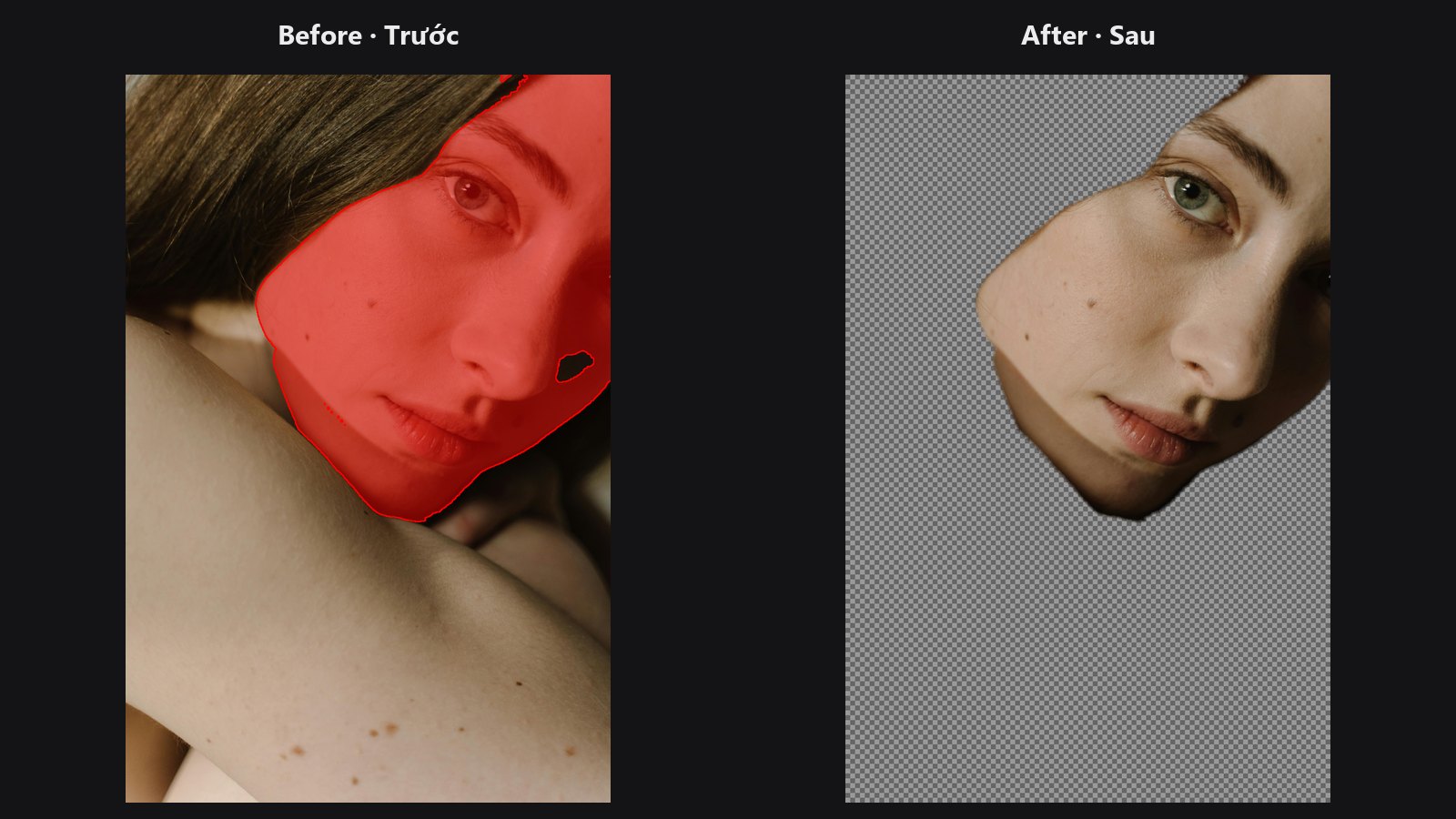
The first stop for a mask from SAM, rembg or any other cutout tool. It deletes stray specks, fills small holes inside the subject, and can finish with an even feather.
| In ComfyUI | Add Node → ComfyUI-JH-PixelPro → mask → Mask: Cleanup |
| Good for | Removing floating dots, filling pin-holes in a subject, producing a clean evenly feathered mask |
When to use it
AI segmentation often leaves two kinds of mess: tiny floating islands of selection in the background, and small holes inside the subject. Both come from the mask being a set of connected pixel groups. This node finds each group and decides by its size in pixels whether to keep it, instead of by a brush radius. That makes it more predictable than erode-and-dilate for tidying up.
The mask is first turned into pure black and white at the threshold. Then islands smaller than min_island_area are removed, and holes smaller than max_hole_area are filled. A hole that touches the image border is never filled, because it is really background.
Quick start
- Connect the mask from your segmentation node.
- Keep the defaults (island 64, hole 64, no feather). Raise the areas for bigger images.
- Add
feather_px3 to 6 if you want a soft edge. - Compare before and after with Mask Preview.
Settings
| Setting | Default | What it does | Tip |
|---|---|---|---|
threshold |
0.5 | Pixels above this value count as subject. | Lower it to include faint areas. |
min_island_area |
64 | Delete subject blobs smaller than this many pixels. 0 = off. | Scale with image size. Try 200 to 2000 on a 2 K photo. |
max_hole_area |
64 | Fill enclosed holes smaller than this many pixels. 0 = off. | Never fills background that touches the image border. |
feather_px |
0.0 | Soft-edge distance, measured from the cleaned edge. 0 = hard black and white. | 0 to 256. The full soft ramp spans twice this value. |
connectivity |
8 | 8 treats diagonal pixels as connected; 4 only counts side neighbours. |
Leave on 8 for most masks. |
Output: mask (MASK).
Tips from retouching
- Use it first in a mask chain, then Edge-Aware Mask Refiner or Sub-Pixel Mask Refiner.
- Its feather is an even distance from the edge, so the half-way line stays on the original outline. A blur would shrink thin parts of the subject instead.
- If a real part of the subject disappears (a small earring, a button),
min_island_areais too high. - If a real hole disappears (a gap between an arm and the body), lower
max_hole_area.
Under the hood
The mask is binarised with mask > threshold. Components are labelled with cv2.connectedComponentsWithStats. Holes are found on the inverted mask using the complementary connectivity (8 for the subject pairs with 4 for the holes), which is the standard pairing that stops a hole from leaking diagonally. The feather is alpha = clip(0.5 + sd / (2 * feather_px), 0, 1), where sd is the signed distance to the boundary from cv2.distanceTransform (positive inside). It runs on the CPU, one batch item at a time. Source: core/mask_cleanup.py.
Related nodes
- Mask Morphology for resizing a mask by a radius
- Sub-Pixel Mask Refiner for another feather method
- Edge-Aware Mask Refiner for snapping edges to the photo
- Mask Preview for before and after checks
Example workflow
Mask Cleanup example workflow. Copy workflows/sample_portrait.jpg and workflows/sample_binary_mask.png into ComfyUI/input/ first.